

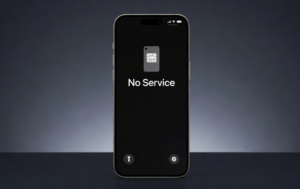
Swapping a SIM card into a phone is usually a straightforward process. However, many users experience a “No Service” or “No Signal” message immediately after inserting a new SIM. This can be confusing, especially if the SIM is active and working in another device.
In most cases, this issue is not caused by a single factor but by a combination of network activation, device compatibility, and system settings. This article explains what is actually known and documented about why phones may show “No Service” after a SIM swap.
What Happens During a SIM Swap
A SIM (Subscriber Identity Module) connects your phone to your mobile network. It stores key details such as:
- Your mobile number
- Network authentication information
- Carrier-related settings
When you insert a new SIM, the phone must recognize the SIM and register it with the network. Until this process is completed successfully, the device may display “No Service.”
SIM Activation May Not Be Complete
One of the most common reasons for “No Service” is that the SIM has not been fully activated.
When users:
- Replace an old SIM with a new one
- Upgrade to a new SIM (for example, 4G or 5G)
- Request a SIM replacement from a telecom provider
The network may take time to activate the new SIM. During this period, the phone may not connect to the network.
Activation times vary by carrier and region. In India, telecom providers such as Bharti Airtel, Reliance Jio, and Vodafone Idea typically complete SIM activation within a few minutes to several hours, though in some cases it may take longer depending on verification processes.
In some situations, users may also need to complete a final tele-verification step (such as calling a carrier number) before the SIM becomes fully active.
If activation is pending, the phone may temporarily show no signal.
Network Registration Delay
Even after activation, the SIM must register with the nearest network tower.
This process can take some time, especially if:
- The phone was just restarted
- The SIM was recently inserted
- Network conditions are unstable
In many cases, simply waiting or restarting the device helps complete registration.
Device Compatibility Issues
Another common cause is compatibility between the phone and the network.
For example:
- Older phones may not support newer network technologies like 4G or 5G
- Some devices support only specific frequency bands
- Imported phones may not be fully compatible with Indian network bands
If the phone cannot connect to the network’s supported frequencies, it may display “No Service” even if the SIM is active.
SIM Card Not Properly Inserted
Physical issues can also cause connection problems.
If the SIM card is:
- Not inserted correctly
- Slightly misaligned
- Dirty or damaged
The phone may fail to detect it properly. In such cases, the device may show “No SIM” or “No Service.” Reinserting the SIM carefully often resolves this issue.
Network Settings or Software Issues
Sometimes the problem lies in the phone’s settings or software.
Possible causes include:
- Incorrect network selection settings
- Airplane mode accidentally enabled
- Software glitches after inserting the SIM
Phones typically allow users to select networks automatically. If this setting is changed to manual and the correct network is not selected, the phone may not connect.
Restarting the device or resetting network settings can often resolve such issues.
IMEI Blacklisting (Important but Often Missed)
In some cases, the issue may not be with the SIM at all but with the device itself.
If a phone’s IMEI number has been:
- Reported lost or stolen
- Blocked by a carrier,
The network may refuse to connect to it entirely. In such cases, even a fully active SIM will show “No Service” on that device, while working normally in another phone.
Read More: Sudden Network Loss? It Could Be SIM Swap Fraud – Here’s How to Protect Your Bank Account
SIM Lock or Carrier Lock
Some phones are carrier-locked, meaning they only work with specific telecom providers.
If a SIM from a different carrier is inserted into a locked phone, the device may not connect to the network and may show “No Service.”
This situation is more common with phones purchased under carrier contracts or from certain international markets.
Coverage or Signal Issues
The issue may also be unrelated to the SIM itself.
If the user is in an area with:
- Weak network coverage
- Temporary network outages
- Indoor signal interference
The phone may still show “No Service” even after a SIM swap. Checking signal availability in another location can help identify this issue.
SIM Deactivation or Verification Issues
In some cases, SIM replacement involves identity verification or security checks.
If verification is incomplete or fails:
- The SIM may remain inactive
- Network access may be temporarily restricted
Telecom providers may require users to complete KYC (Know Your Customer) procedures before activating a replacement SIM. No official universal timeframe applies across all providers, but delays can occur depending on verification status.
“No Service” vs “Emergency Calls Only”
These two messages are often confused but indicate different situations:
| Status | What It Means |
|---|---|
| No Service | The phone cannot detect or connect to any network |
| Emergency Calls Only | A network is detected, but the SIM is not authorized or fully activated |
Understanding this difference can help identify whether the issue is related to signal availability or SIM authentication.
Important: SIM Swap Fraud Warning
If your phone suddenly shows “No Service” and you did not request a SIM swap, this may indicate a serious issue.
In rare cases, attackers may perform a SIM swap fraud, transferring your number to another SIM to intercept calls or one-time passwords (OTPs).
If this happens:
- Contact your telecom provider immediately
- Secure your bank and online accounts
This is a known security risk and should not be ignored.
When “No Service” May Indicate a Problem
A temporary “No Service” message after a SIM swap is common. However, persistent issues may indicate:
- A faulty SIM card
- A hardware issue in the phone (such as antenna problems)
- A network-related restriction
If the SIM works in another phone but not in your device, the issue may be device-specific.
Quick Troubleshooting Guide
| Issue | Possible Cause | What You Can Do |
|---|---|---|
| No signal after SIM swap | Activation pending | Try a different location |
| SIM works in another phone only | Device issue or IMEI block | Check device or IMEI status |
| No Service + new SIM | Tele-verification not done | Complete activation call |
| Signal comes and goes | Weak coverage or network issue | Reinsert the SIM properly |
| No SIM detected | Improper insertion | Reinsert SIM properly |
| Wrong network selected | Manual network setting | Enable automatic selection |
Practical Steps to Fix the Issue
Users can try the following steps:
- Restart the phone
This helps the device reconnect to the network. - Reinsert the SIM card
Ensure it is properly placed in the SIM tray. - Check activation status
Confirm with your telecom provider that the SIM is active. - Enable automatic network selection
Allow the phone to connect to the correct network. - Test the SIM in another phone
This helps determine whether the issue is with the SIM or the device.
Conclusion
Activation delays, network registration issues, device compatibility, or simple physical or settings-related problems usually cause a “No Service” message after a SIM swap.
In most cases, the issue resolves on its own once the SIM is fully activated and the phone connects to the network. However, if the problem persists, checking device compatibility, SIM status, and network settings can help identify the cause.
Understanding these factors can make SIM-related issues easier to diagnose and resolve without unnecessary confusion.
FAQs
1. How long does it take for a SIM to activate after swapping?
It usually takes a few minutes to a few hours, but in some cases (especially verification or porting), it may take up to 24 hours or more.
2. Why does my SIM work in another phone but not mine?
This may indicate a device issue, such as compatibility problems, network lock, or IMEI blocking.
3. Do I need to call a number to activate my SIM?
In some cases, yes. Certain carriers require a tele-verification call to complete activation, especially for new SIMs or ported numbers.
4. What does “Emergency Calls Only” mean?
It means your phone can detect a network, but your SIM is not fully authorized or activated on it.
5. What should I do if I suddenly lose service without swapping SIMs?
Contact your telecom provider immediately, as this could indicate a SIM swap fraud attempt.
Also Read: SIM Card After Death in India: What Actually Happens to Mobile Number & WhatsApp?