

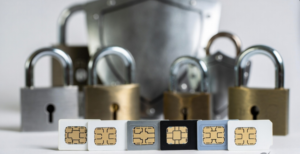
Mobile numbers play a central role in digital security. In India and many other countries, SIM cards are used not only for calls and messages but also to receive OTPs (one-time passwords), verify online accounts, and authorize financial transactions. Because of this, fraudsters often target SIM cards to gain access to banking apps, email accounts, and digital payment services.
SIM-related fraud, especially SIM swap and unauthorized porting, has become a recognized risk highlighted by telecom providers, banks, and cybersecurity agencies. Understanding how SIM security works and how to protect your mobile number can help prevent unauthorized access to sensitive accounts.
This guide explains how SIM-based fraud happens and what verified steps users can take to improve security.
Why SIM Security Matters
Your mobile number is often linked to:
- Banking and UPI apps
- Email accounts
- Social media accounts
- Government services
- Online shopping accounts
Many services use SMS OTP verification to confirm identity. If attackers gain control of a SIM card, they may be able to receive OTPs and attempt to reset passwords or authorize transactions. Because of this, protecting your SIM card is an important part of overall digital security.
In many cases, SIM-based attacks are combined with password theft. If attackers obtain both your phone number and account passwords, they may attempt to take over important accounts. Using strong, unique passwords for banking, email, and social media accounts helps reduce the risk of unauthorized access following a SIM compromise.
Common Types of SIM Fraud:
SIM Swap Fraud
SIM swap fraud occurs when someone fraudulently transfers your mobile number to a new SIM card. This may happen if attackers:
- Use stolen personal information
- Impersonate the customer
- Submit fraudulent documents
- Convince telecom support staff to issue a replacement SIM
Fraudsters often collect personal information through phishing emails, fake websites, scam calls, or data leaks. This information may then be used to impersonate customers and request SIM replacement or porting.
Once a SIM swap succeeds:
- The original SIM stops working
- Calls and SMS go to the new SIM
- OTP messages are received by the attacker
Banks and telecom operators warn that SIM swap fraud can allow criminals to attempt unauthorized access to financial accounts.
Sudden loss of network signal without explanation can sometimes indicate a SIM swap attempt.
Unauthorized SIM Replacement
SIM replacement fraud involves obtaining a duplicate SIM card without proper authorization. This may occur if:
- Identity verification is weak
- Documents are forged
- SIM loss claims are misused
Duplicate SIMs allow attackers to receive calls and OTP messages.
SIM Porting Fraud
Mobile number portability allows users to move their numbers from one telecom operator to another. Attackers may attempt unauthorized porting using stolen identity details.
If porting succeeds:
- The number becomes active on a new operator
- OTP messages are redirected
Telecom regulators require verification for porting requests, but users should remain alert.
Signs Your SIM May Be Compromised
Several warning signs may indicate SIM-related fraud:
- Sudden loss of network signal
- No incoming calls or SMS
- SIM shows “No Service” unexpectedly
- OTP messages stop arriving
- Unexpected SIM replacement notifications
- Unknown transaction alerts
These signs do not always indicate fraud, but they should be investigated quickly. Before panicking about fraud, first check if your SIM has stopped working due to 90 days of inactivity.
How to Protect Your SIM Card
Enable SIM Lock (PIN Protection)
Most phones support SIM PIN protection.
When enabled:
- The SIM requires a PIN after restarting the phone
- Unauthorized use becomes harder
This feature protects against misuse if the SIM card is physically removed. SIM PIN settings are available in most phone security settings.
Read More: SIM Card After Death in India: What Actually Happens to Mobile Number & WhatsApp?
Protect Personal Information
SIM fraud often relies on stolen identity information.
Avoid sharing:
- Aadhaar numbers
- PAN details
- Bank information
- OTPs
Fraudsters often gather information through phishing or social engineering. Never click suspicious links or provide personal information to unknown callers or websites claiming to represent banks or telecom providers.
Never Share OTP Codes
OTP codes can be used to:
- Reset passwords
- Approve transactions
- Verify SIM changes
Banks and telecom providers state that legitimate support staff do not ask for OTPs. Sharing OTPs can allow attackers to access accounts or approve SIM changes.
Whenever possible, enable two-factor authentication using authenticator apps instead of SMS-based OTP. Authentication apps generate security codes on the device and are not dependent on the SIM card, making them less vulnerable to SIM swap attacks.
Use Multi-Factor Authentication
Enable multi-factor authentication (MFA) on important accounts whenever available.
MFA adds a security layer beyond passwords and SMS verification and can reduce the risk of unauthorized account access.
Set a Telecom Account PIN
Some telecom providers allow users to set a customer service PIN or account password.
This PIN may be required before:
- SIM replacement
- SIM upgrade
- Number transfer
Availability varies by operator.
No official public information currently confirms a universal SIM account PIN requirement across all telecom providers.
Use SIM Swap or Port-Out Protection
Some telecom providers offer SIM swap protection or port-out lock features that prevent SIM changes without additional verification.
When enabled, SIM replacement or number transfer requests may be blocked unless the account holder authorizes the change. Availability varies by telecom operator.
Consider eSIM Security
eSIM technology may provide additional protection in some situations because there is no physical SIM card that can be removed or replaced without authorization through the telecom provider.
However, eSIM accounts still require strong account security and identity verification.
Respond Quickly to SIM Loss
If your SIM stops working unexpectedly:
- Contact your telecom provider immediately
- Confirm whether a replacement SIM was issued
- Request blocking if necessary
Quick action reduces the risk of misuse.
Secure Your Phone
Device security supports SIM security.
Recommended steps:
- Use a strong screen lock
- Enable biometric protection
- Keep the phone updated
- Avoid installing unknown apps
If attackers gain physical access to the device, SIM protections may be bypassed more easily.
What to Do If SIM Fraud Is Suspected
If you suspect SIM-related fraud:
Contact Your Telecom Provider
Immediately:
- Block the SIM
- Request investigation
- Issue a replacement SIM if needed
Secure Financial Accounts
Take steps such as:
- Changing banking passwords
- Resetting UPI PIN
- Monitoring transactions
Banks often recommend reporting suspected fraud immediately.
Report Cyber Fraud
In India, suspected digital fraud can be reported through the National Cyber Crime Reporting Portal (cybercrime.gov.in) or by calling the helpline 1930.
Early reporting improves the chances of stopping unauthorized transactions.
Additional Safety Practices
Additional safety steps include:
- Keeping telecom contact details saved
- Monitoring account alerts
- Checking bank statements regularly
- Avoiding unknown links
- Verifying customer care numbers from official sources
- Using strong and unique passwords for important accounts
These steps reduce the chances of SIM-based fraud.
SIM cards are a critical part of digital identity because they are used for OTP verification and account recovery. If a SIM card is compromised through SIM swap, replacement, or porting fraud, attackers may attempt to access sensitive accounts.
Protecting your SIM requires a combination of device security, careful handling of personal information, and a quick response to suspicious activity.
By enabling SIM PIN protection, safeguarding personal details, using strong passwords, enabling multi-factor authentication, and acting quickly when problems occur, users can significantly reduce the risk of SIM-related fraud and unauthorized access.
Also Read: Your SIM May Stop Working After 90 Days – Here’s Why