

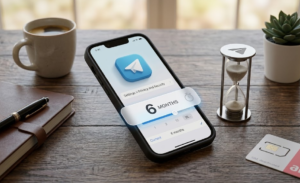
Many of us install Telegram for a specific project or a group chat, use it for a few weeks, and then forget about it. While platforms like Facebook or X (Twitter) keep your profile idle for years, Telegram takes a different approach. Because it is a cloud-based service with over 1 billion monthly active users as of 2026, the company uses an automated system to clean up unused data.
If your account sits silent for too long, it doesn’t just stay there; it eventually vanishes.
The Logic of the “Self-Destruct” Timer
Telegram is built with a “Self-Destruct” mechanism that is active by default on every single account. This is designed to save server space and protect user privacy. If you don’t log in at least once within your set timeframe, Telegram assumes you are no longer using the service and wipes your digital footprint.
By default, this period is now 18 months for most new users, according to the latest 2026 privacy policy. However, many long-term users, especially in India, might still have their timer set to the old default of 6 months.
How to Find and Change Your Timer
If you want to ensure your account doesn’t disappear, you should check your specific settings. You can find this under:
Settings > Privacy and Security > Delete my account > If away for
In 2026, the available options for this timer typically include:
- 1 month
- 3 months
- 6 months
- 12 months
- 18 months (New standard)
- 24 months (Available in newer app versions)
What Happens During the Deletion Process
When the timer hits zero, the process is automatic and permanent. Here is a breakdown of what actually disappears and what stays behind.
1. Total Cloud Wipe
Every message, photo, video, and file stored in your Telegram Cloud is erased. Because Telegram is cloud-based, losing the account means losing the history across all your devices simultaneously.
2. The “Orphaned” Group Problem
If you are the creator of a group or channel, the group will continue to exist for the remaining members. However, the “Creator” role is permanently lost. While other admins keep their powers, no one can ever be promoted to the full “Owner” status again. If the group had no other admins, it becomes “orphaned”—it stays online, but no one can change its settings or delete it.
Read More: Stop Ignoring This Telegram Rule Before It’s Too Late
3. Metadata Retention
While your chats are gone, Telegram’s 2026 privacy policy notes that they may retain some metadata, such as your IP address and login history, for up to 12 months after the account is deleted. This is purely for security and anti-spam purposes.
4. The View from the Other Side
Your friends won’t see your name anymore. Your profile will simply be renamed to “Deleted Account.” In their chat list, your profile picture will be replaced with a default ghost icon.
Why This Matters for Privacy
This system is actually a major security benefit. If you lose your phone number and it gets recycled to a new person a year later, that new person won’t be able to log into your old Telegram and see your private photos. The account would have already self-destructed, giving the new owner a completely blank slate.
Important Comparisons
| Action | Impact on Inactivity Timer |
| Uninstalling the App | Timer continues to run. The account is NOT deleted. |
| Opening the App | Timer resets to zero. Your account is safe. |
| Sending a Message | Timer resets to zero. |
| Logging in on Web | Logging in on the Web |
Frequently Asked Questions
1. Does Telegram send an SMS warning before deleting my account?
No. Telegram does not send a final warning via SMS or email. The only way to know is to check the timer in your app settings.
2. If I sign up again with the same number, will my chats come back?
No. You will be treated as a brand-new user. Your old chats, contacts, and media are permanently gone once the deletion happens.
3. What happens to my “Secret Chats” when my account is deleted?
Secret Chats are stored only on your device. While they will disappear from your phone when the account is wiped, the person you were chatting with may still see the conversation on their device until they manually delete it.
4. Can someone else take my username after my account is deleted?
Yes. Once your account is gone, your @username becomes available for anyone else to claim. In 2026, there is usually a 30-day “cool-down” period before a deleted username is released back into the public pool.
5. Does simply having the app on my phone count as activity?
Not necessarily. Your phone must “handshake” with Telegram’s servers. If you have “Background App Refresh” turned off or your phone has been dead for months, the timer may keep running even if the app is installed. You should open the app once in a while to be safe.
Also Read: What Happens to Your Telegram Account After Death: The Reality You Might Not Know