

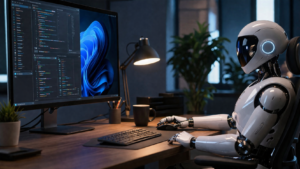
Anthropic has brought its “computer use” feature to Windows inside Claude Code and Claude Cowork.
At a surface level, it sounds simple. Claude can now open apps, run tasks, and interact with your computer. But this update is not just about adding a new capability. It is about changing how people interact with AI systems in everyday work.
For the first time, many users are not just asking AI for help. They are allowing it to act inside their own environment. That shift is subtle in description, but very noticeable in practice.
What It Actually Does When You Use It
Claude’s computer use feature allows it to perform multi-step actions across a Windows system. It can open applications, navigate interfaces, run tests, identify issues, and attempt fixes.
What stands out is how the system decides to act. Claude does not immediately take control of the desktop. It first tries structured methods such as integrations or available tools. Direct interaction with the desktop only happens when no better option exists.
This design reduces unnecessary system control and makes the feature feel more deliberate rather than aggressive.
What It Feels Like in a Real Scenario
Consider a simple debugging task. Instead of giving step-by-step instructions, Claude can open a development environment, run the code, detect an issue, edit the relevant file, and test it again.
The experience feels different because the user is no longer translating suggestions into actions. The AI attempts the work itself while the user observes and intervenes if needed. That shift changes the role of the user from operator to supervisor.
The Real Change Most Coverage Misses
The biggest impact of this feature is not technical. It is behavioral.
Until now, AI has largely been something people consult. It provides answers, suggestions, and guidance, but it stays separate from the user’s system. With computer use, that boundary changes. The AI can now act within the same environment as the user. It interacts with the same tools and interfaces.
This creates a new dynamic. There is clear efficiency in letting tasks run automatically, but there is also hesitation in allowing a system to take action on your behalf. That balance will shape how widely this feature is adopted.
Where It Becomes Genuinely Useful
The feature shows the most value in structured and repetitive workflows. Tasks that involve multiple small steps or repeated actions can be handled more efficiently when the AI executes them directly.
It is particularly useful in environments where the workflow is predictable and the steps are clearly defined. In such cases, it can reduce manual effort without introducing much risk.
Where It Still Has Limitations
Despite its potential, the feature is not without issues. It works best in stable environments and may struggle with complex or unfamiliar interfaces. Unexpected UI changes can interrupt the process, and performance can vary depending on the task.
It is also important to note that this is still a research preview. The system is evolving, and inconsistencies are expected at this stage.
Security and control remain central to the design. Users must approve access during each session, and actions can be stopped at any time. Only one session can control the system at once, which prevents conflicts.
Read More: Developers Hated This Issue – Claude Code Just Fixed It
Practical Use Makes the Difference
The way this feature is used will determine its effectiveness more than the feature itself.
A few simple habits can significantly improve the experience:
- Start with low-risk or repetitive tasks before using it for critical work
- Keep the desktop environment organized to reduce confusion
- Monitor initial runs instead of assuming perfect execution
- Use it where automation clearly reduces effort
These small adjustments often decide whether the feature feels reliable or frustrating.
A Quiet but Important Addition
The feature also connects with remote task handling through Dispatch. This allows users to trigger actions from another device, such as a smartphone, and have Claude execute them on their computer.
At this point, the system moves beyond being an assistant and starts functioning more like a remote operator.
Why This Matters More Than It Looks
AI is gradually moving beyond conversation interfaces and into real working environments. The shift is simple but significant. Earlier, AI helped users decide what to do. Now it can attempt to do it.
That changes expectations. Users will begin to judge AI not just by the quality of its answers, but by the reliability of its actions.
Final Takeaway
Claude’s computer use feature represents an early step toward AI systems that actively participate in digital workflows. It is not fully mature yet, but it clearly shows the direction things are heading.
The real question is not whether AI can perform tasks. It is how comfortable users are with letting it do so.
FAQs:
1. Is Claude actually controlling my computer completely?
No. Claude only interacts with apps and areas you explicitly approve during a session. It does not have unrestricted or permanent control over your system.
2. Who can use this feature right now?
It is currently available as a research preview for users subscribed to the Claude Pro and Max plans within Claude Code and Claude Cowork.
3. Does it work perfectly for all tasks?
No. It performs best in structured and predictable workflows. Complex interfaces or unusual setups can still cause errors or incomplete actions.
4. Is it safe to use for important work?
It can be safe if used carefully. It is better to start with low-risk tasks and gradually build trust while monitoring its actions.
5. How is this different from normal AI tools?
Traditional AI tools provide suggestions or answers. This feature allows the AI to take action directly on your system, which changes the interaction from guidance to execution.
Also Read: AI Can Now Join Your Video Calls – And That Changes Everything