

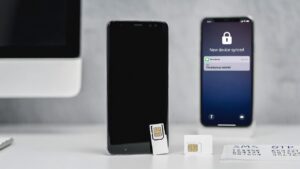
Many people assume that once they reset an old phone or switch to a new one, messages will automatically stop going to the old device. In reality, this is not always true. Under certain conditions, an old phone can still receive SMS messages, verification codes, or app notifications even after a reset or device change.
Understanding why this happens is important for privacy and security, especially before selling, recycling, or giving away an old phone.
This guide explains when an old phone may still receive messages, when it will not, and how to stop message delivery fully.
What Happens During a Factory Reset
A factory reset restores a phone to its original settings by removing all apps and personal data stored on the device.
A reset normally deletes:
- Apps and app data
- Text messages are stored on the device
- Photos and files
- Contacts stored locally
- Settings and accounts
However, a factory reset does not affect the SIM card or mobile number.
This means that if the SIM card remains in the phone after a reset, the phone can still function normally on the mobile network.
SMS Messages Can Still Arrive
If the SIM card is still inside the old phone after a reset:
- SMS messages can still be delivered
- Calls can still be received
- OTP verification codes can still arrive
This happens because SMS delivery depends on the mobile number and SIM card, not the apps or data stored on the phone.
Even if the phone was reset minutes earlier, incoming messages will still arrive as long as:
- The SIM card is active
- The phone has network coverage
- The device is powered on
The reset only removes stored messages; it does not block new ones.
Messages May Arrive Even Without the Phone On
If your old phone is turned off or unreachable, the mobile network may temporarily store messages.
Many carriers store undelivered SMS messages for a limited time, often a few days, and deliver them when the phone reconnects.
This means messages sent during a device reset or phone switch may still arrive later.
Messaging Apps Behave Differently
Internet-based messaging apps work differently from SMS.
After a factory reset:
- WhatsApp chats stored locally are erased
- The app has been removed
- Messages cannot be viewed unless restored from backup
However:
- Messages sent to your number still reach your WhatsApp account
- They appear when you sign in again on a device
WhatsApp messages are linked to your phone number and account, not to a single device.
Cloud-Synced Messages
Some messaging systems store messages in the cloud.
Examples include:
After resetting a phone:
- Messages may reappear after login
- Notifications may resume
- Old conversations may be restored
This can make it appear that the phone “still receives messages,” even though they are being synced from the cloud.
Old Phones May Still Receive OTP Codes
One major risk is OTP (one-time password) delivery.
If the SIM remains in the old phone:
- Bank OTPs may arrive
- Login verification codes may arrive
- Password reset messages may arrive
Anyone with access to the phone and SIM could potentially receive these messages.
This is why simply resetting a device is not enough before giving it to someone else.
When the Old Phone Will NOT Receive Messages
Your old phone will usually stop receiving messages if:
- The SIM card is removed
- The number is deactivated
- The SIM is transferred to another phone
- Airplane mode is enabled permanently
- The device cannot connect to the network
Removing the SIM card is the most reliable way to stop SMS delivery.
Hidden Risks Many Users Miss
Several situations can allow message delivery to continue unexpectedly.
SIM Left Inside the Device
The most common mistake is leaving the SIM card in the phone after resetting it.
Even a completely wiped phone can still receive:
- SMS
- Calls
- OTP codes
Secondary Devices Still Logged In
Some apps allow multiple devices.
For example:
- Email accounts
- Cloud services
- Messaging apps with multi-device support
If the old device remains logged in:
- Notifications may still appear
- Messages may still sync
- Files may still be accessible
Signing out of accounts before resetting is important.
eSIM Profiles
Phones using eSIM may remain connected if the eSIM profile is not removed.
In some cases, messaging permissions may continue temporarily until fully deregistered with the carrier.
How to Fully Stop Messages from Reaching an Old Phone
Before disposing of or giving away a phone, follow these steps:
1. Remove the SIM Card
This is the most important step.
Without the SIM:
- SMS stops
- Calls stop
- OTP delivery stops
2. Sign Out of All Accounts
Log out from:
- Google accounts
- Apple ID
- Email accounts
- Messaging apps
3. Remove eSIM Profiles
If using eSIM:
- Delete the profile from device settings
- Contact your carrier if necessary
4. Perform a Factory Reset
Reset the phone after removing accounts and SIM cards.
This ensures all local data is erased.
Conclusion
An old phone can still receive messages after a reset if the SIM card or account connections remain active. Factory resetting only removes stored data; it does not disconnect the phone number or stop message delivery.
SMS messages, OTP codes, and calls can continue arriving until the SIM card is removed or the number is transferred to another device.
Understanding this difference helps prevent security risks and ensures that personal messages and verification codes do not reach devices you no longer control.