
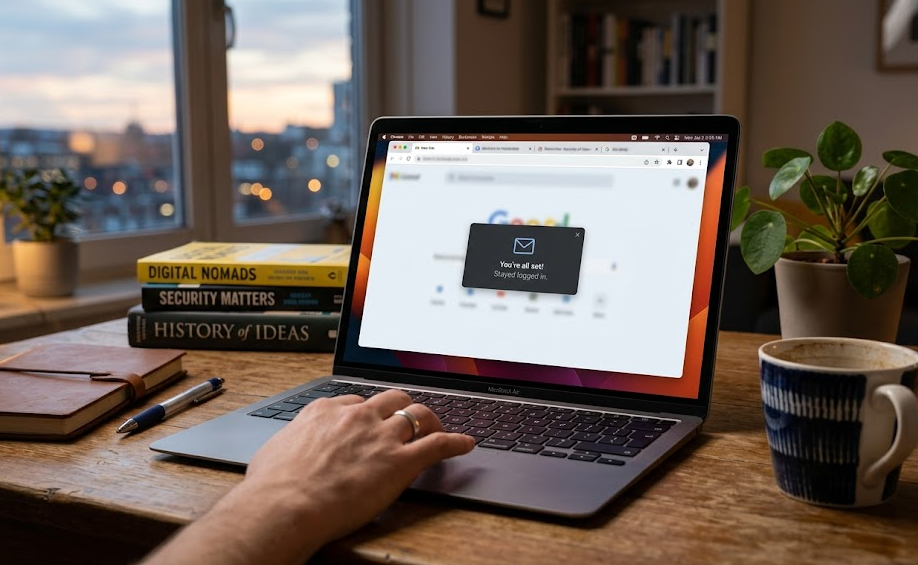
Many users notice something unusual over time. They open a website they haven’t visited in weeks or even months, and somehow, they are still logged in. No password, no login prompt, just instant access. This creates a widespread belief that once you log in somewhere, your email stays logged in permanently.
That idea is not entirely wrong, but it is technically misleading.
Websites do not actually “remember your email forever.” What feels like a permanent login is the result of a layered system involving sessions, cookies, and increasingly sophisticated authentication checks that work quietly in the background. Understanding how this works reveals both why this convenience exists and where its limits lie.
What Really Happens When You Log In
When you log into a website, your email and password are not stored in your browser in the way most people imagine. Instead, the server creates a session, which becomes the foundation of your logged-in state.
A unique session identifier is generated and stored in your browser as a cookie. Every time you return to the site, your browser sends that identifier back to the server, which then verifies it and restores your logged-in session. Your actual account data, including your email, remains securely stored on the website’s servers. The browser only holds a reference, not the credentials themselves.
This distinction is important because it explains why you can remain logged in without your password being repeatedly used or exposed.
Why It Feels Like You Never Get Logged Out
The sense of being logged in “forever” comes from how modern systems maintain and extend sessions rather than keeping a single session alive indefinitely.
Most platforms use what is known as sliding sessions. Each time you interact with a site, your session is quietly extended. Instead of one long session lasting months, you are actually experiencing a chain of shorter sessions that are continuously renewed in the background.
On top of this, many services rely on token-based authentication systems. These involve short-lived access tokens supported by longer-lived refresh mechanisms that automatically issue new tokens when needed. This entire process happens silently, so from the user’s perspective, nothing changes.
Another subtle factor is device trust. When you log in from your personal phone or laptop, platforms often mark that environment as familiar. As a result, they reduce friction by allowing longer session persistence and fewer login prompts. This is why you may stay logged in on your own device but get asked to log in again on a new one.
Even the “Remember Me” option plays a deeper role than most people realize. It usually creates a separate long-lived authentication layer, rather than simply extending a cookie’s lifespan.
The Hidden Controls Behind Your Session
What many users overlook is that your browser does not have full control over whether you remain logged in. The server always has the final say.
Even if your browser still holds a valid-looking cookie, the server can invalidate it at any time. This means that a cookie alone does not guarantee access. The session must still be recognized and accepted on the server side.
Modern systems also go beyond simple cookie validation. They continuously evaluate the context of your session. Factors like your device type, browser environment, and even location patterns can influence whether your session is trusted. If something changes significantly, you may suddenly be asked to log in again, even if your session technically still exists.
This is part of a broader approach known as risk-based authentication. Instead of treating every login equally, platforms adjust their behavior based on how normal or suspicious your activity appears.
How Long Sessions Actually Work
Sessions are not truly permanent, but they can last a long time under the right conditions. Their behavior is typically governed by two types of limits, which are rarely explained clearly:
| Timeout Type | What It Does |
|---|---|
| Idle timeout | Ends the session after a period of inactivity |
| Absolute timeout | Ends the session after a fixed duration, regardless of activity |
In practice, many platforms combine both. If you continue using a service regularly, your session may keep extending until it eventually hits a maximum limit or gets reset due to a security trigger.
There is also another layer most people never notice. Some platforms periodically rotate session identifiers behind the scenes. This reduces the risk of long-term misuse, although not every website implements this consistently.
Where the Real Risk Comes In:
The convenience of long login sessions comes with a trade-off. While your password is not constantly in use, your session itself becomes a form of access.
If someone gains control of your session, they may be able to act as you without needing your password at all. This is known as session hijacking. It does not mean your account is permanently compromised, but it can allow immediate access while the session remains valid.
It is important to understand the difference here. Password theft gives long-term control over an account, while session-based access is usually temporary but instantly effective. This distinction is often missed, yet it explains why sessions are treated as sensitive.
Such access is not easily obtained under normal conditions, but it can occur in situations involving unsafe networks, malicious browser extensions, compromised systems, or certain web vulnerabilities.
A Situation Most People Overlook
Consider a simple real-world case. You log into your email account on a shared computer and leave without logging out. The next person opens the browser and visits the same site. If your session is still active, they are immediately inside your account.
No password is required because the session itself acts as proof of identity.
This scenario is far more common and realistic than most technical attack discussions, and it highlights why sessions matter.
Why Websites Allow This at All
At first glance, it might seem risky for websites to allow such long-lasting sessions. However, this behavior is intentional.
Constantly forcing users to log in would create friction and degrade the overall experience. Instead, platforms balance convenience with security by combining long sessions with background checks, behavioral monitoring, and periodic verification.
The goal is not to eliminate risk, but to manage it intelligently without disrupting usability.
When You Will Actually Be Logged Out
Despite how persistent sessions can feel, they do end. This can happen for several reasons, including inactivity, manual logout, password changes, detection of unusual behavior, or even something as simple as clearing browser data.
Another important detail is that logging out does not always terminate every session. In many cases, it only ends the current one. If you are logged in on multiple devices, those sessions may remain active unless you explicitly log out from all of them.
Private or incognito browsing modes behave differently in this regard. Since they do not retain cookies after the session ends, any login state disappears as soon as the window is closed.
Conclusion
The idea that your email stays logged in on websites for years is not entirely false, but it does not work the way most people assume. You are not maintaining a single uninterrupted login. Instead, your access is being continuously renewed, verified, and sometimes replaced through a combination of sessions, tokens, and trust signals.
What feels permanent is actually dynamic.
The key takeaway is simple: you are not logged in forever, but your session is being trusted and extended for as long as the system considers it safe to do so.
FAQs
1) Can someone access my account without my password if I stay logged in?
Yes, if they gain access to your active session, they may not need your password while that session remains valid.
2) Do websites store my password in cookies?
No. Cookies store session identifiers or tokens, not your password.
3) Why do I stay logged in even after restarting my browser?
Because of persistent cookies or long-lived authentication mechanisms that survive browser restarts.
4) Does logging out remove access everywhere?
Not always. It typically ends the current session, but other active sessions may still exist unless you log out from all devices.
5) Why do some websites log me out quickly while others don’t?
It depends on the platform’s balance between security and convenience. High-risk services tend to use stricter session limits.