
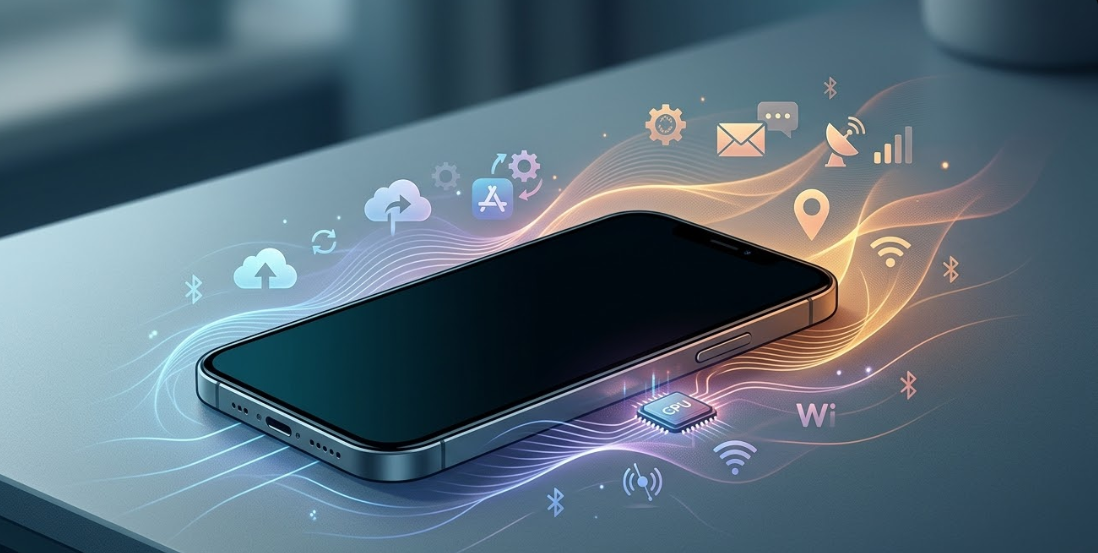
Smartphones are designed to remain relatively cool when they are not being actively used. Activities such as gaming, video recording, or charging often generate heat because they require significant processing power. However, some users notice that their phones become warm or even hot while the screen is off or when the device appears idle.
This situation can happen for several technical reasons. In most cases, the device is not truly inactive. Modern smartphones continue running background processes and maintaining network connections even when users are not interacting with them.
Understanding these processes can help explain why a phone might heat up without visible usage.
Smartphones Are Never Completely “Idle”
A smartphone functions more like a small computer than a traditional phone. Even when the screen is off, the device may continue performing several tasks.
These background activities may include:
- Syncing emails or messages
- Checking for notifications
- Updating apps
- Backing up photos to the cloud
- Maintaining network connections
- Scanning for Bluetooth or nearby wireless devices
- Location or GPS services checking position for certain apps
Because these tasks require the processor, memory, and wireless radios to remain active, they can generate heat even when the phone appears unused.
In addition to these tasks, modern smartphones may also monitor device sensors such as the accelerometer, gyroscope, or motion sensors. These sensors support features like step tracking, gesture controls, and automatic screen wake. Even though the power usage is usually small, constant sensor monitoring can keep certain system processes active in the background.
Some devices also include an Always-On Display feature that shows the clock or notifications while the screen is off. This feature keeps a small portion of the display and graphics processor active, which may slightly contribute to heat generation during idle periods.
Background Apps Running in the System
One of the most common reasons for heating during idle periods is background app activity.
Many apps continue working after they are closed. Messaging apps, social media platforms, navigation services, and fitness apps often refresh content or track location in the background. These operations require CPU power and internet connectivity, which can produce heat over time.
For example, an app may periodically check servers for updates or notifications. Each time this happens, the phone briefly wakes its processor and wireless radios, which gradually increases the temperature.
Push notifications can also wake the processor frequently. Even short bursts of activity—such as receiving alerts, refreshing feeds, or checking messages- may keep the processor active throughout the day.
If multiple apps are performing these tasks simultaneously, the processor may remain active for long periods, leading to gradual heating.
Automatic Sync and Cloud Backups
Another common cause is automatic synchronization services.
Many phones are configured to automatically upload photos, contacts, or files to cloud services such as Google Photos, Google Drive, or iCloud. These backups often run when the phone is idle because the system assumes the device is not actively being used.
While convenient, syncing large files or uploading videos can temporarily increase CPU usage and network activity, which may cause noticeable heating.
Automatic app updates or background downloads can also occur during idle periods, which may further increase processor activity.
In some cases, after a system update or after large numbers of photos or files are added to the device, the operating system may also perform background indexing. During this process, the system scans and organizes media files so they can appear in search results or galleries. This indexing activity can temporarily increase processor usage and heat generation.
Poor Network Signal
Network conditions can also affect device temperature.
When a phone struggles to maintain a stable cellular or Wi-Fi connection, it may increase its radio transmission power to maintain connectivity. This additional effort requires more energy from the battery and can produce heat even when the phone is not being used.
For example, devices in areas with weak signal coverage may repeatedly search for a stronger network, which keeps internal components active.
Software Bugs or System Glitches
Sometimes overheating occurs because of software problems.
After a system update or app installation, certain processes may fail to shut down properly. These errors can cause the processor to run continuously, even when the device should be idle.
Such issues are often temporary and may disappear after restarting the phone or installing software updates that fix the bug.
Malware or Suspicious Applications
Although less common, malicious or poorly designed apps can also cause heating. Some apps may run hidden processes in the background to collect data, display advertisements, or perform other tasks. These processes require continuous processor usage and can generate significant heat.
Downloading apps from unofficial sources increases the risk of this type of behavior.
Widgets, Live Wallpapers, and Constant System Activity
Certain visual or interactive features may also contribute to idle heating.
For example, animated wallpapers, widgets displaying weather or stock updates, and similar tools may refresh information frequently. These updates require periodic CPU activity and internet access, which can gradually increase device temperature.
Although each task may be small, the combined effect of multiple widgets or background features can keep the system active more often than expected.
Storage or Memory Limitations
In some cases, devices with very little available storage or heavily used memory may work harder to perform routine tasks.
When storage is nearly full, the operating system may need to repeatedly manage temporary files, cached data, and background processes. This additional processing can slightly increase processor activity and power usage, which may contribute to heating.
Environmental and Hardware Factors
In addition to software issues, external conditions can contribute to heating.
Examples include:
- Direct sunlight exposure
- High room temperature
- Charging with low-quality chargers
- Aging or damaged batteries
- Phone cases that trap heat and reduce airflow around the device
Lithium-ion batteries naturally generate heat during both charging and discharging cycles. As batteries age, they may become less efficient at storing and delivering energy. This reduced efficiency can cause the battery to generate more heat during normal operation, including during idle periods.
When Heating May Indicate a Hardware Problem
Occasional warmth is normal for most smartphones. However, persistent overheating during idle periods may sometimes indicate hardware problems.
Possible issues may include:
- A degraded battery
- Internal component damage
- Charging circuit faults
Excessive heat can also affect device performance. Many smartphones automatically reduce processor speed, a process often called thermal throttling, when temperatures rise too high. This protective mechanism helps prevent damage but may temporarily slow down the device.
In rare cases, severe overheating may cause a battery to swell or degrade more rapidly, which can pose safety risks if left unaddressed.
If the device becomes excessively hot or displays temperature warnings, professional inspection may be necessary.
No official universal threshold defines exactly when heating becomes dangerous for all smartphones, but manufacturers typically design devices to automatically reduce performance or shut down if temperatures exceed safe limits.
Practical Steps Users Can Take
Users who notice idle heating can try several simple troubleshooting steps:
- Check battery usage statistics
Most smartphones allow users to see which apps are consuming power. - Limit background activity
Disable background refresh for apps that do not need constant updates. - Restart the phone
A restart can stop processes that may be stuck running. - Update the system and apps
Updates often include fixes for performance and overheating issues. - Review installed apps
Uninstall unfamiliar or rarely used apps that may run hidden services.
A phone becoming warm while idle does not necessarily mean the device is malfunctioning. Modern smartphones continue performing many background tasks even when the screen is off, including syncing data, maintaining network connections, checking notifications, and occasionally updating apps.
However, excessive heating may occur if background apps consume too many resources, if software bugs keep the processor active, if network conditions force the device to work harder, or if hardware or environmental factors increase internal temperatures.
Understanding these underlying causes can help users identify whether the issue is simply normal background activity or a problem that requires attention.
Frequently Asked Questions (FAQs)
1. Is it normal for a phone to get warm when not in use?
Yes. Smartphones continue performing background tasks such as syncing data, checking notifications, and maintaining network connections even when the screen is off. These processes can generate small amounts of heat.
2. Why does my phone heat up overnight when I’m not using it?
Phones often perform automatic tasks overnight, such as cloud backups, app updates, photo syncing, and system indexing. These activities can temporarily increase processor activity and device temperature.
3. Can a poor network signal make my phone hotter?
Yes. When a device struggles to maintain a cellular or Wi-Fi connection, it may increase transmission power and repeatedly search for stronger signals, which can produce additional heat.
4. Do background apps cause phones to overheat?
They can. Apps that refresh content, track location, or send frequent notifications may wake the processor repeatedly and increase heat over time.
5. Can malware cause phone overheating?
In some cases, yes. Malicious apps may run hidden processes in the background, which can heavily use the processor and cause the device to heat up.
What should I do if my phone overheats frequently while idle?
You can try restarting the phone, updating apps and system software, checking battery usage statistics, limiting background activity, and removing unfamiliar apps. If the problem continues, a hardware inspection may be necessary.