
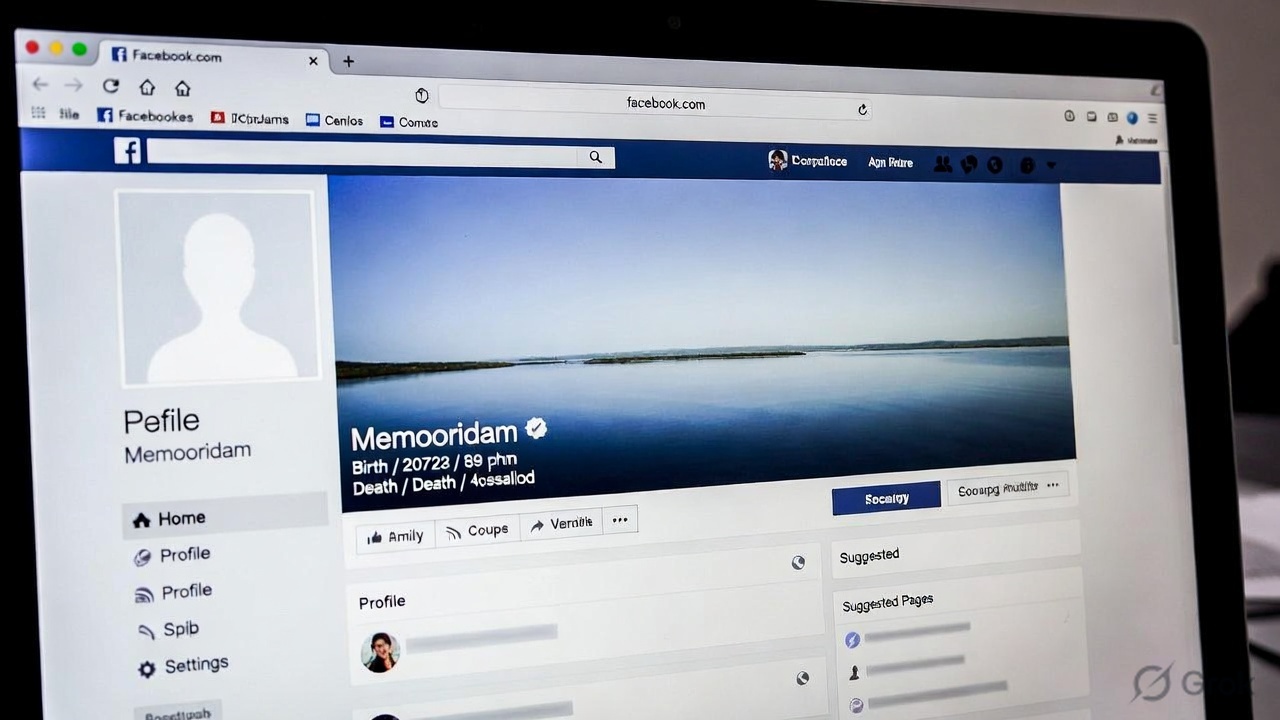
Facebook accounts often hold years of personal memories, conversations, and shared experiences. When a person dies, their account does not automatically disappear. Instead, Meta Platforms allows accounts to either be memorialized or permanently deleted after receiving a valid request.
Understanding how this process works can help families avoid confusion, prevent misuse, and manage digital accounts responsibly.
What Is Facebook Memorialization?
Facebook memorialization is a process that converts a regular account into a memorial account after the company receives verified proof that the user has passed away.
Once memorialized, the profile displays the word “Remembering” next to the person’s name. The account remains visible based on its existing privacy settings, allowing friends and family to view posts and share memories.
Importantly, no one can log into a memorialized account. Facebook does not provide login access to relatives or friends under any circumstances.
This restriction helps protect the account from unauthorized access—but it also introduces limitations many users don’t anticipate.
A Critical Risk Most People Overlook
One of the biggest real-world issues is this:
If no legacy contact is assigned before death, the account can become permanently unmanageable.
In such cases:
- Profile photos cannot be updated
- Friend requests remain pending
- Inappropriate or outdated posts may stay visible
This “digital lockout” is one of the most common problems families face, yet it is rarely discussed.
How Facebook’s Algorithm Can Still Surface Accounts
Even after someone passes away, Facebook’s system does not immediately recognize the event.
Until the account is memorialized:
- The profile may appear in “People You May Know.”
- Old posts may resurface in memory reminders
- Friends may receive birthday notifications
This can be emotionally distressing for loved ones, making timely reporting especially important.
Who Can Request Memorialization?
Anyone can request memorialization by submitting proof of death to Facebook.
Accepted documents typically include:
- Death certificate
- Obituary notice
- Memorial card
- News report confirming the death
Facebook reviews each request carefully. False reporting attempts are taken seriously, and incomplete submissions may be rejected.
This verification step exists to prevent misuse, such as fake death reports used to disable accounts.
What Happens After an Account Is Memorialized?
Once memorialized:
- “Remembering” appears on the profile
- Existing posts and photos remain visible
- Friends can share tributes (if allowed)
- The account is removed from reminders and suggestions
- No login access is possible
If no legacy contact was assigned, the account remains visible but largely frozen.
Legacy Contact: What They Can and Cannot Do
Facebook allows users to assign a legacy contact—a trusted person who can manage limited aspects of the account after death.
They can:
- Pin a tribute post
- Accept friend requests
- Update profile and cover photos
- Request account deletion
- Download shared content (if permission was granted)
They cannot:
- Log in to the account
- Read private messages
- Edit or delete past posts
- Remove friends
Legacy contacts are only available for the main profile and are not supported for accounts belonging to minors.
The “Password Sharing” Myth
Some families attempt to access accounts using saved passwords or logged-in devices.
However, this is risky.
Facebook’s systems may detect unusual activity and:
- Restrict the account
- Permanently lock it
- Flag it for policy violations
Even if access seems possible, it violates platform rules and can create more problems than it solves.
Memorialization vs Deletion: What’s the Difference?
Facebook also allows users to choose permanent deletion instead of memorialization.
If the “Delete After Death” option is enabled, the account is removed entirely once death is confirmed.
Quick Comparison
| Feature | Memorialized Account | Deleted Account |
|---|---|---|
| Profile visibility | Remains visible | Completely removed |
| Login access | Not allowed | Not possible |
| Photos & posts | Preserved | Permanently deleted |
| Tribute posts | Allowed | Not possible |
| Data recovery | Not applicable | Not possible |
A Practical Planning Table (Before vs After Death)
| Action Taken Before Death | Outcome After Death |
|---|---|
| Legacy contact set | Account can be partially managed |
| No legacy contact | Account becomes mostly locked |
| Delete after death enabled | Account permanently removed |
| Backup admins added (Pages) | Business continuity maintained |
| No backup admins | Pages/groups may be lost |
Pages, Groups, and Hidden Risks
Facebook Pages and Groups can be significantly affected after a user’s death.
- If the deceased was the only Page admin, the Page may be permanently lost
- If they were the only Group admin, the Group may continue but become inactive
In real-world cases, businesses have lost access to their Pages simply because no backup admin was assigned.
Practical tip: Always assign at least one additional admin for important Pages.
Legal Rights vs Platform Rules
A common misunderstanding is that family members automatically gain access to digital accounts.
In reality:
- Facebook accounts are governed by platform policies, not inheritance laws
- Even legal heirs cannot access private data or messages
This distinction often surprises families and highlights the importance of planning ahead.
Messages and Privacy
Facebook does not allow anyone to read a deceased person’s private messages.
However:
- Messages sent to others remain visible in recipients’ inboxes
- Conversations are not deleted from the other person’s account
This ensures privacy while preserving communication history for recipients.
How to Set a Legacy Contact
Users can set this up in account settings:
- Open Settings & Privacy
- Go to Accounts Centre
- Select Personal Details
- Choose Account Ownership and Control
- Open Memorialization Settings
From here, you can assign a legacy contact or enable account deletion after death.
Practical Tips for Families
- Report the account early to avoid unwanted reminders
- Check if the person managed any Pages or Groups
- Avoid trying to log in using their credentials
- Preserve important content in advance (if accessible)
- Respect privacy and platform rules
Final Thoughts
Digital accounts are now an important part of personal legacy. Facebook memorialization offers a structured way to preserve memories while protecting accounts from misuse.
However, without proper planning—such as assigning a legacy contact or adding backup admins—families may face unnecessary limitations.
Every platform handles this differently. While Facebook and Instagram offer memorialization, messaging platforms follow separate policies, making it essential to understand each system individually.
Frequently Asked Questions (FAQs)
1. Can family members access a deceased person’s Facebook account?
No. Facebook does not allow login access under any circumstances, even for family members.
2. What is better: memorialization or deletion?
It depends on personal preference. Memorialization preserves memories, while deletion removes all data permanently.
3. Can a legacy contact read private messages?
No. Private messages remain completely inaccessible.
4. How long does memorialization take?
There is no fixed timeline. It depends on document verification and review.
5. What happens if no one reports the death?
The account may remain active indefinitely and continue appearing in suggestions and reminders.