

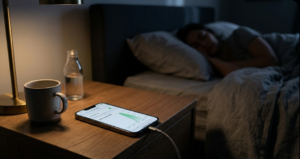
It can be frustrating to wake up and notice that your phone has consumed a large amount of mobile data overnight, even though you didn’t actively use it. At first glance, this feels like a glitch or even a security issue.
In reality, most of the time, it’s neither.
Modern smartphones are designed to keep working even when you’re not. Overnight data usage is usually the result of background processes, network behavior, and system-level optimizations that continue while your phone is idle.
Understanding these hidden processes makes the situation far less mysterious and much easier to control.
Your Phone Doesn’t Actually “Sleep”
Even when your screen is off, your phone is still active behind the scenes.
It continues to:
- Sync emails and app data
- Check for updates
- Backup files
- Maintain connections with servers
These activities are designed to keep your apps ready the moment you unlock your device. If Wi-Fi is unavailable or unstable at any point during the night, these tasks may quietly switch to mobile data.
Importantly, modern systems (like Android and iOS) don’t run these processes continuously; they group them into short bursts to save battery. But during those bursts, noticeable data can still be used.
The Hidden Data Users Rarely Notice
1. App Updates That Run in the Background
App stores regularly check for updates and install them automatically.
On most devices, this is restricted to Wi-Fi, but if “update over mobile data” is enabled, updates can happen overnight without any visible alert.
If multiple apps update at once, the total data usage can quickly add up.
2. Cloud Syncing and Backup Activity
Many phones automatically sync:
- Photos and videos
- Contacts and messages
- App data
If Wi-Fi disconnects, even briefly, these processes may continue using mobile data instead.
Less obvious behavior:
If a backup fails (for example, due to weak Wi-Fi), the system may retry multiple times in the background. These repeated attempts can silently consume significant data.
3. Apps Preloading Content Before You Open Them
This is one of the most overlooked causes.
Some apps don’t wait for you to open them; they prepare content in advance.
This can include:
- Social media feeds
- Videos or thumbnails
- Advertisements
The goal is to make apps feel faster when you open them. But this “predictive loading” can happen overnight and use data without any direct interaction.
4. Messaging Apps Downloading Media Automatically
Apps may automatically download:
- Images
- Videos
- Documents
If this setting is allowed on mobile data, even a few active group chats can result in noticeable usage overnight.
When Wi-Fi Quietly Drops Out
A very common real-world cause is unstable Wi-Fi. If your connection:
- Weakens during the night
- Temporarily disconnects
- Switches networks
Your phone may automatically fall back to mobile data. Many devices have features like:
- “Switch to mobile data automatically.”
- “Smart network switching.”
These are helpful, but they can also lead to unexpected data usage without any notification.
The Network Itself Can Change the Picture
Sometimes the issue isn’t what your phone is doing; it’s how usage is reported.
Mobile carriers do not always show data usage instantly. Instead, they process and update usage in batches. This creates situations where:
- Data used earlier appears much later
- Usage seems to spike overnight, even if it didn’t happen then
Real-world example:
You use mobile data in the evening, but your carrier logs it at 2 AM. By morning, it looks like all that data was consumed overnight.
There’s also a technical difference:
- Your phone measures raw data usage
- Your carrier measures billable data (often rounded or processed differently)
This is why the numbers don’t always match exactly.
System-Level Activity You Don’t See
Not all data usage comes from apps you installed.
Your phone’s system may use data for:
- Security updates (small patches, not full OS updates)
- Time and location syncing
- Diagnostic services
- Core services like notifications
These are usually small, but in some cases, especially after updates, they can add up.
Signal Strength Matters More Than You Think
Here’s something most people don’t consider: If your mobile signal is weak at night, your phone has to work harder.
It may:
- Retry sending/receiving data
- Reconnect to the network repeatedly
- Re-download incomplete data
This can result in more data being used for the same task compared to a strong signal.
Background Data Permissions Still Apply
Apps don’t need to be open to use data. If background data is allowed, apps can:
- Sync
- Refresh content
- Maintain server connections
This is why apps you didn’t touch overnight may still show data usage.
A Quick Way to Understand What Happened
Instead of guessing, you can often narrow it down quickly:
| What You Notice | Most Likely Reason |
|---|---|
| Sudden spike overnight | App updates or cloud backups |
| Data used without opening apps | Background sync or preloading |
| Usage appears late | Carrier reporting delay |
| Happens only with weak Wi-Fi | Automatic switch to mobile data |
| High usage with poor signal | Network retries and reconnections |
How to Actually Check the Source
Your phone already tracks this in detail.
You can view:
- Data usage by each app
- Foreground vs background usage
- Usage patterns over time
One important detail:
Your phone’s numbers may not exactly match your carrier’s data due to different calculation methods.
Simple Ways to Prevent It
You don’t need complex fixes; just a few adjustments can make a big difference:
- Turn off mobile data before sleeping
- Restrict background data for non-essential apps
- Disable auto-download in messaging apps
- Ensure your Wi-Fi connection is stable
- Use Data Saver mode
Extra control tip:
Set a data warning or limit in your settings so your phone alerts you before usage gets too high.
So, Is This Normal or a Problem?
In most cases, overnight data usage is completely normal.
It’s usually caused by:
- Background syncing
- Updates
- Network switching
- Reporting delays
However, it may need attention if:
- Data usage is unusually high (GB-level without a reason)
- A single unknown app is consuming most of it
- It happens consistently without any clear cause
Final Takeaway
Your phone doesn’t stop working when you do.
What looks like “mysterious overnight data usage” is usually just a combination of background activity, smart system behavior, and how networks report usage.
Once you understand these factors, the situation becomes predictable—and easy to manage with a few simple settings.
FAQs:
1. Why does my phone use data at night even when I’m not using it?
Background processes like syncing, updates, and backups continue to run even when your phone is idle.
2. Can my phone switch to mobile data automatically at night?
Yes. If Wi-Fi becomes unstable, many phones automatically switch to mobile data without notifying you.
3. Why does data usage appear suddenly in the morning?
This often happens due to delayed reporting by your carrier, not actual overnight usage.
4. Which apps usually consume the most data overnight?
Cloud storage apps, social media apps, and messaging apps with auto-download enabled are the most common.
5. What’s the easiest way to stop overnight data usage?
Turning off mobile data before sleeping is the most effective method.